Prompt engineering has a reputation problem. For many developers, it conjures images of trial-and-error, magical incantations, and vague advice like “be more specific.” At small scale — one or two prompts — that approach is fine. At production scale — dozens of prompt templates, multiple models, and continuous iteration — it’s a disaster.
Here’s how we think about prompt engineering as a proper engineering discipline.
Treat Prompts as Code
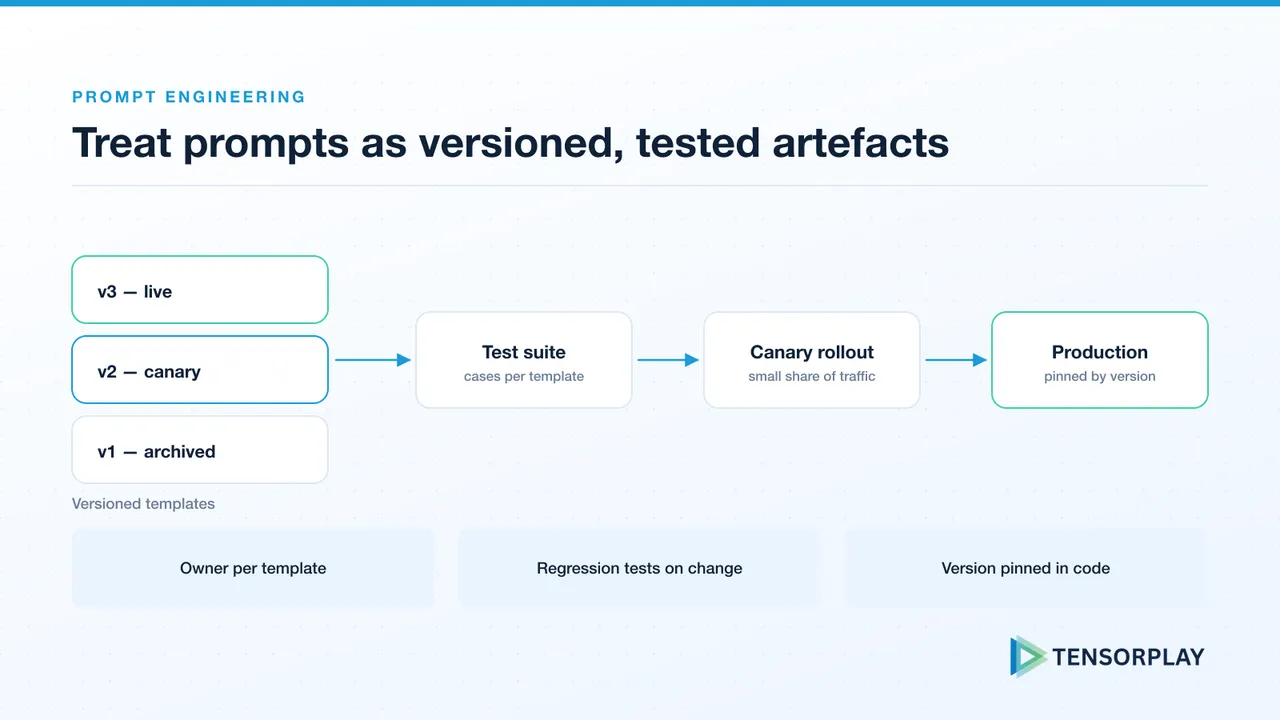
This is the foundational rule. Prompts belong in version control (not hardcoded in application files), they have tests, they go through code review, and changes to them have a deployment process.
We typically store prompts as YAML files that include:
- The prompt template with clearly named variables
- The model and parameters it’s designed for
- The version number and changelog
- The evaluation criteria for this prompt
- Example inputs and expected outputs
Define a Prompt Testing Pipeline
Every prompt change should run against your evaluation suite before it can be merged. This means having:
- A set of regression test cases representing the distribution of real inputs
- Automated metrics appropriate for your task (format checks, semantic similarity, LLM judge)
- A clear threshold: “this change must not reduce eval score by more than X%”
Without this, you’re shipping prompt changes blind and wondering why your users are suddenly getting worse responses two weeks after a “small” update. Our LLM evaluation framework covers how to build the test set and set release thresholds.
A/B Testing Prompts in Production
For prompt changes that pass offline evaluation but you’re not fully confident about, run a production A/B test. Route 10% of traffic to the new prompt and compare real user quality signals — engagement, thumbs up/down feedback, follow-up questions (a sign of incomplete answers), and support escalations.
Build this infrastructure once and it pays off every time you iterate on any prompt.
Use Structured Outputs Everywhere
When your prompt needs to return structured information, always specify a JSON schema and use your LLM provider’s structured output features (OpenAI’s response_format, Instructor, Outlines, etc.). Never parse free-form text when you don’t have to.
Structured outputs eliminate a whole class of failures and make your system dramatically more robust — you always know exactly what shape the data will be. Validate them at the API boundary too; our guide to designing AI-powered APIs shows how.
Separate System, User, and Context Prompts
Many applications mix all prompt content into one blob. Instead, maintain clear separation:
- System prompt: Persona, constraints, output format — stable, rarely changes
- Context prompt: Retrieved documents, user history — dynamic per-request
- User message: The actual user input — untrusted, always sanitize (our AI threat model guide explains why)
This separation makes each piece easier to iterate on independently and easier to debug when something goes wrong.
Prompt engineering done right is software engineering, and versioned, tested prompts are one of the items on our AI production readiness checklist. If your team is struggling to maintain quality across a growing library of prompts, talk to Tensorplay about your prompt infrastructure.